To provide maximum flexibility in schedule management and optimize resource usage, OpenFlyers is introducing a new feature: time restrictions on availability by activity type.
Previously, configured availability slots applied globally. Now, you can specify resource or user availability specifically for a given activity type.
Practical Daily Use Cases
This update meets various operational needs for your organization:
Aircraft / Specific Flights: Reserve or restrict certain time slots exclusively for discovery flights (introductory flights), night flights, aerobatics (particularly to comply with local noise regulations and activity time restrictions), or aerial work, preserving other slots for flight school or cross-country trips.
- Instructors / Teachers: Define dedicated time slots exclusively for ground school, simulator training, or flight instruction.
- Global Optimization: Prevent scheduling conflicts by combining resource, user, and activity type restrictions, which automatically aggregate to define final availability on the calendar.
How Internal and External Bookings Work Together
Availability rules by activity type integrate seamlessly across both booking pathways:
- For internal bookings (members / pilots): Restrictions apply directly during schedule entry based on the selected activity type. This ensures strict compliance with allowed slots (e.g., preventing aerobatics or night flights outside designated hours) while keeping usual flexibility for other activities.
- For external bookings (discovery flights / public clients): The external booking module automatically checks all constraints (aircraft availability, instructor/staff presence, and allowed slots for the external activity type) to display only 100% valid slots online. This secures online appointments without requiring manual intervention from administrators.
Exception Management: A New Access Right
To maintain internal flexibility, a new dedicated access right has been created. It allows authorized user profiles (managers, chief pilots, administrators) to override activity restrictions for internal bookings.
This right enables granting exceptional overrides without altering the general activity setup, while maintaining strict control over the public external booking module.
How It Works
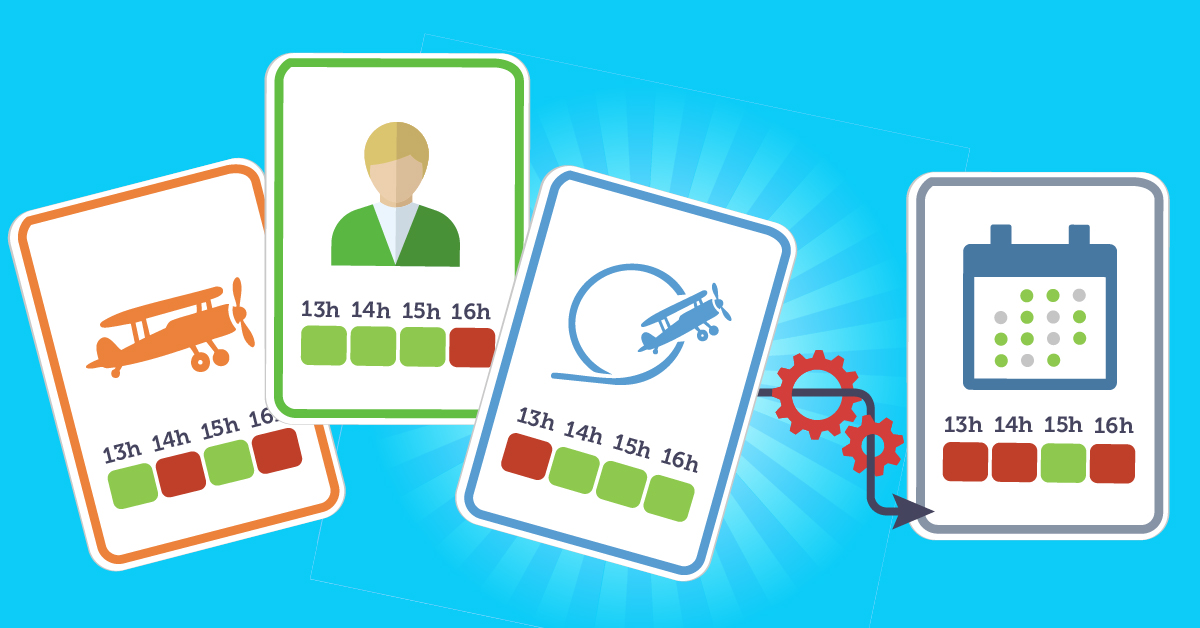
The system calculates availability based on the intersection of these rules:
- The resource (e.g., aircraft) has its own availability slots.
- The user (e.g., instructor or pilot) defines their presence schedule.
- The activity type (e.g., aerobatics, ground school, night flight) restricts bookings to authorized time slots.
- For external bookings, restrictions on the linked activity type determine available slots.
- The override right (internal bookings only) allows authorized users to bypass the restriction.
- The schedule automatically synthesizes all parameters to display only compatible time slots.
Learn more in the documentation:
- Restrict availability for an activity type: https://openflyers.com/fr/doc/of4/Gestion-des-disponibilités#Restreindre-les-disponibilités-d'un-type-d'activité
- Availability management: https://openflyers.com/fr/doc/of4/Gestion-des-disponibilités