To simplify planning and optimise the use of an aircraft fleet, OpenFlyers is introducing a new feature: pinning bookings. This feature allows you to take full advantage of the Booking by resource type configuration mode.
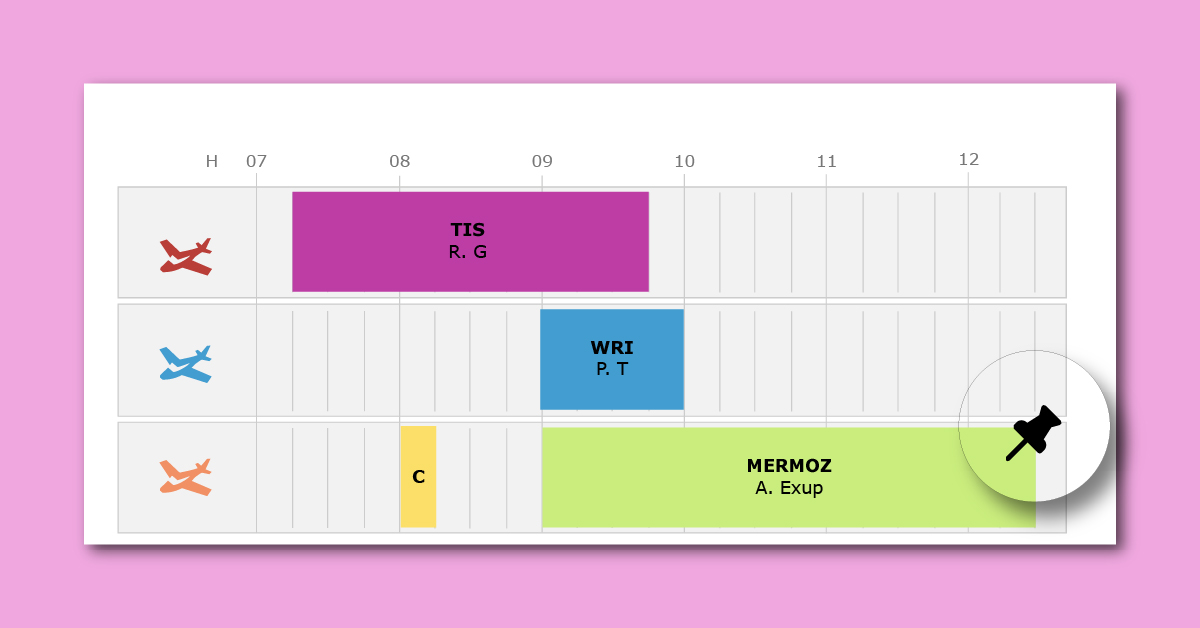
Until now, booking by resource type allowed users to book an “aircraft type” (for example, a DR42 or C152) rather than a specific physical resource, i.e. an aircraft identified by its registration number. The system would then automatically allocate the first available aircraft in the order in which it appeared on the schedule.
This dynamic allocation method offered excellent flexibility for optimising the schedule. However, certain situations required a booking to be locked to a specific resource, without disabling the overall optimisation mechanism for the rest of the fleet. This is where booking pinning comes into play.
From now on, when creating or editing a booking, a user with the Override booking by type permission can tick the Do not change resource tick box in the booking form.
This action locks the booking for the specific resource selected. Once pinned, automatic allocation by type will no longer affect this booking: the system will no longer be able to move it to another device of the same type, thereby ensuring that the user is provided with exactly the resource they have chosen.
It is the ideal tool for securing flight bookings for exams, long journeys or operations requiring specific equipment available only on a particular aircraft in the fleet.
Depending on the organisation’s policy, the ability to pin or unpin a booking on a given resource may be granted to all users or restricted to certain profiles. This can be configured under Admin › Users › Profiles, on the Bookings tab, under the Override booking by type permission.
Documentation for users:
- Pinned booking: https://openflyers.com/fr/doc/of4/Utilisation-des-réservations-internes-sur-l'interface-web#Réservation-épinglée
- Do not change resource: https://openflyers.com/fr/doc/of4/Utilisation-des-réservations-internes-sur-l'interface-web#Do-not-change-resource
Documentation for administrators:
- Booking by resource type: https://openflyers.com/fr/doc/of4/Configuration-des-réservations-internes#Réservation-par-type-de-ressource
- Overriding reservations by type: https://openflyers.com/fr/doc/of4/Gestion-des-profils#Surpasser-la-réservation-par-type